Friday, May 8, 2015

Sunday, March 22, 2015
Make a Poster!

Last week, Jamie and I were brainstorming ways that we could create a poster size picture from an image saved on a computer. As we were investigating this idea, I stumbled upon a website called Block Poster, http://www.blockposters.com/

Tuesday, March 17, 2015
Where Do I Find Appropriate, Fair Use Photos??
- Pics4Learning
- Flickr CC
- Flickr Storm
- Soundzabound (for royalty - free music)
There are two other articles referenced in the comments section. One with further resources here. And another that has a great explanation on Creative Commons here.
Article and photo: https://www.iste.org/explore/articleDetail?articleid=265&category=In-the-classroom&article=Find%20free%20and%20fair%20use%20photos&utm_source=Facebook&utm_medium=Social&utm_content=rsehare&utm_campaign=EdTekHub
Tuesday, January 27, 2015
Student Blogging
 Last week, I had the pleasure to spend some time in Brenna's room as she was hosting an internal lab around Blended Learning. Brenna's focus was around using blogging to give kids a space to go public with their knowledge around Space. Her unit was inquiry based and students had a chance to pick any question they wanted to research. Many wanted to know what it took for a planet to have life on it. Many others wanted to know about aliens. Still others were interested in knowing more about Black Holes (spoiler alert.... they are DEATH TRAPS!)
I have had student blogs for several years now, and I still feel like I struggle with exactly what the process is that we need students to go through in order to be effective bloggers. I wondered if it was developmentally appropriate to expect fourth graders to really understand the power of blogging. Watching Brenna's third graders work was inspiring. Here are some takeaways for me:
Blending
There was some serious blending going on in this classroom! Students were working on going public on an inquiry around Space, they were determining importance and monitoring for meaning in their written pieces by highlighting and bolding important text and creating engaging blog titles. Many, but not all, students were grabbing a Chromebook to begin

The Paper Blog
I had a real 'why didn't I think of that' moment when I saw students creating their 'paper blogs'. As we observed, at least half of the students were not ready to crack the lid of their Chromebooks. They were still paper blogging, creating a mock up of their posts on paper, complete with highlighted words, color and inserted sketches of pictures they were going to embed. I had the sense that students who might be reluctant to write a rough drafts were really into paper blogging. Again, a perfect example of making the tool fit the purpose.

 |
| 3, 2, 1 Exit Ticket |
This was a great example of what blogging can look like in an inquiry-based unit and opens up all kinds of opportunities for us to take a second look at blogging and how adept students are with this kind of technology at a very young age.. I am looking forward to seeing what great things are next in Mrs. Markson's classroom.
Want to read some for yourself? www.kidblog.org/Markson
Friday, January 23, 2015
7 Habits of Highly Effective Teachers Who Use Technology
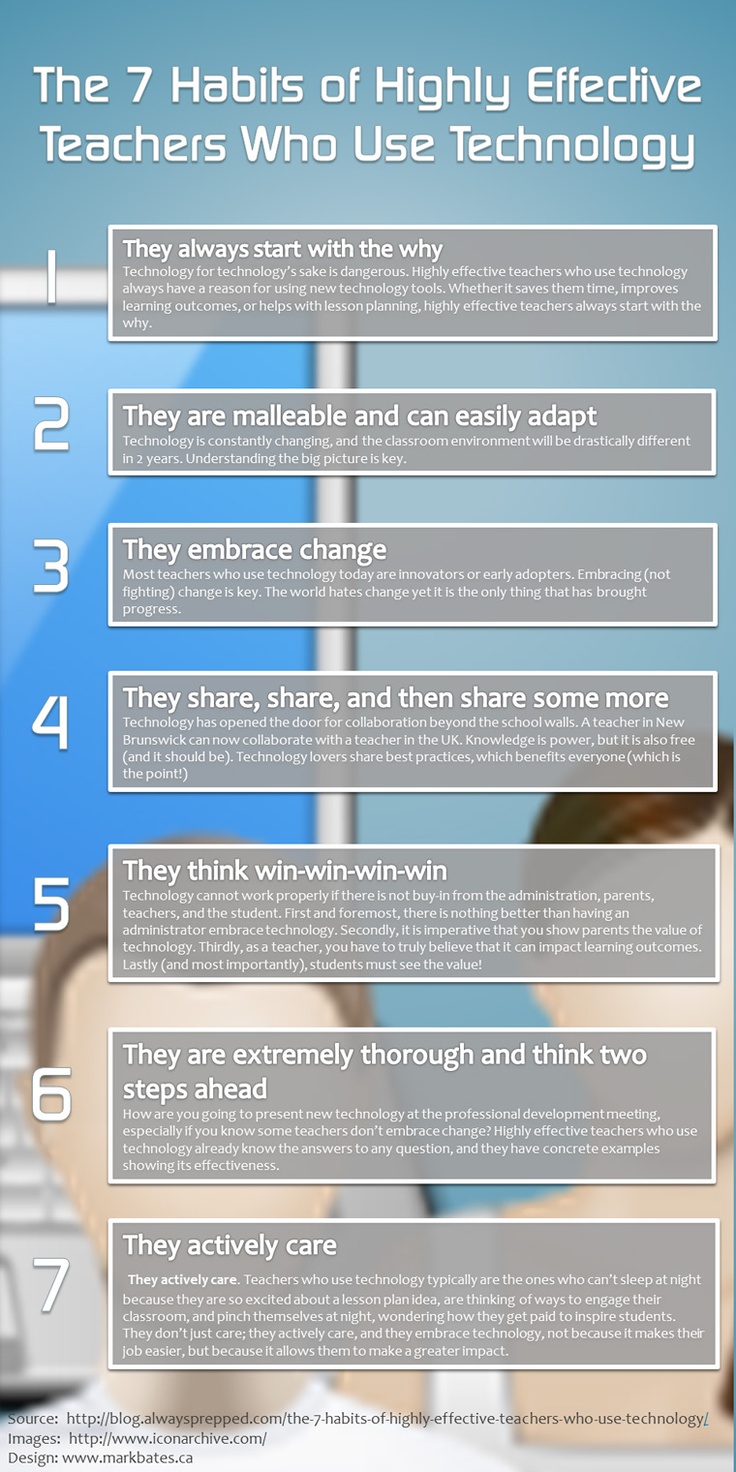 |
1. They always start with the why.
I think I am improving in this area. I tend to jump in with both feet and try new technology, but am finding that in the classroom, that isn't a practical approach, given the number of things tugging at instructional time. I am increasingly careful when trying something new until I can really justify the 'why' for me and my students. My 'why' usually centers around communication, collaboration, content and product (really wish I had a fourth 'C' word here!)
3. They embrace change.
This is a tough one for me. I think this goes very closely with number 1. I am not a big fan of change and I really go back and forth between wanting change in my classroom practices and striving for routine. Change for change sake? I'm not a fan.
4. They share, share and then share some more.
That is the whole purpose of this space, to have the opportunity to share what I see happening at Roberts. As with so many other things, I have trouble finding the time to update. I have a long list of things to blog about so I am working on getting better about this. I think our work with internal labs will go a long way in creating a culture of sharing. I have heard tales of two teachers who attended labs and have made immediate changes to their practice. The power of sharing in action! Kudos to Brenna and Caitlin for sharing this week and to Val, Shannon and Carla for opening their classroom doors in the coming weeks.
6. They are extremely thorough and think two steps ahead.
This goes with #1, thinking about the why before bringing tech into the classroom. Sometimes I think it is hard to keep two steps ahead with all the demands that we have on us right now. There is just an overload of information. But, I do strive to think clearly about the purpose of the technology.
YOUR THOUGHTS?
What do you think? What are you doing well and what are you working on?
Is this a list that is about technology specifically, or teaching generally?
There is often push back on technology, given that students (especially ours) have devices at home. When we bring technology into the classroom, are we creating yet another environment where we are struggling to pull kids away from the screen so they can experience and interact? Or, if we are mindful, are there ways to make the technology 'value added?' Is there an appropriate age to start? Is ECE too young? Kinder? 1st?
What about the teacher who isn't comfortable using technology in the classroom or doesn't have access? There are many in the building. Does he/ she have a responsibility to implement technology when they have used methods that have worked for them for years when there was no technology? We often comment that students know the technology better than we do. If that is the case, what is my role as a teacher if the tech use is so natural to them? Won't they develop skills without us?
I would love to hear your thoughts.
(http://www.teachthought.com/technology/7-habits-of-highly-effective-teachers-who-effectively-use-technology/)
Sunday, January 11, 2015
Classroom iMovie Trailers
This is 'The Silence of the Bobcats,' the sample video that kicked of the iMovie Trailer project that 7th and 8th graders did in Mr. E's Art class.
The
students watched this as an example of what a final product
could look like. They then worked on a sample of their own of Mr. E's
Art classroom. This gave them a chance to think about how they had to
plan their shots and get acquainted with the iMovie app. Many of the Bobcats teachers invited the students into their classrooms and in December they came in and did some filming, looking
for specific shots so that their trailers had the most impact and made
the most sense for the genre and grade level that they chose.
The trailers are wonderful and are a great glimpse into each classroom from the perspective of the middle
schoolers.
All of the movies are 'unlisted,' meaning that nobody is able to
search Youtube and find the videos. You can only view the videos if
you have the link. This was done to protect the identities of our
students. If you are a Bobcat teacher or parent, email me directly and I will share the link with you.
It was a pleasure working with Mr. E on this. We were both extremely impressed with the way the 7th and 8th graders conducted themselves as they entered classrooms and got permission to film. Kudos to them!
Thursday, December 4, 2014
Good Afternoon and Happy Friday!
Technology is on the schedule today for PLC. We will be visiting some colleagues' classrooms to see how some tech tools are blended with traditional approaches. Here is our schedule --
1. Please choose a reading below:
The SAMR Model - a model to help us infuse technology into our classrooms.
 How Blended Learning can upgrade the traditional public education "operating system." by Angel Cintron Jr. on Blended Teaching DC
Can Blended Help Close the Gap? by Connie Parham on Blended Teaching DC
'Personalized' Instruction Using Tech Yields Uneven Results, Study Says by Michele Molnar on blogs.edweek.org
2. Take a few minutes to read it individually, then formulate your thoughts around the Thinking Routine - Connect, Extend, Challenge. Share your thought in pairs or triads.
- What is a connection you can make from the reading?
- What is something that extended your thinking?
- What is something in the reading that is still challenging your thinking?
- Make a connection between the article you read and the session you attended.
- Do you see the potential for using this Blended Learning tool in your classroom? Why or why not?
- What puzzles you about moving forward with this, or any other Blended Learning tool?
Saturday, October 11, 2014
Go Noodle!
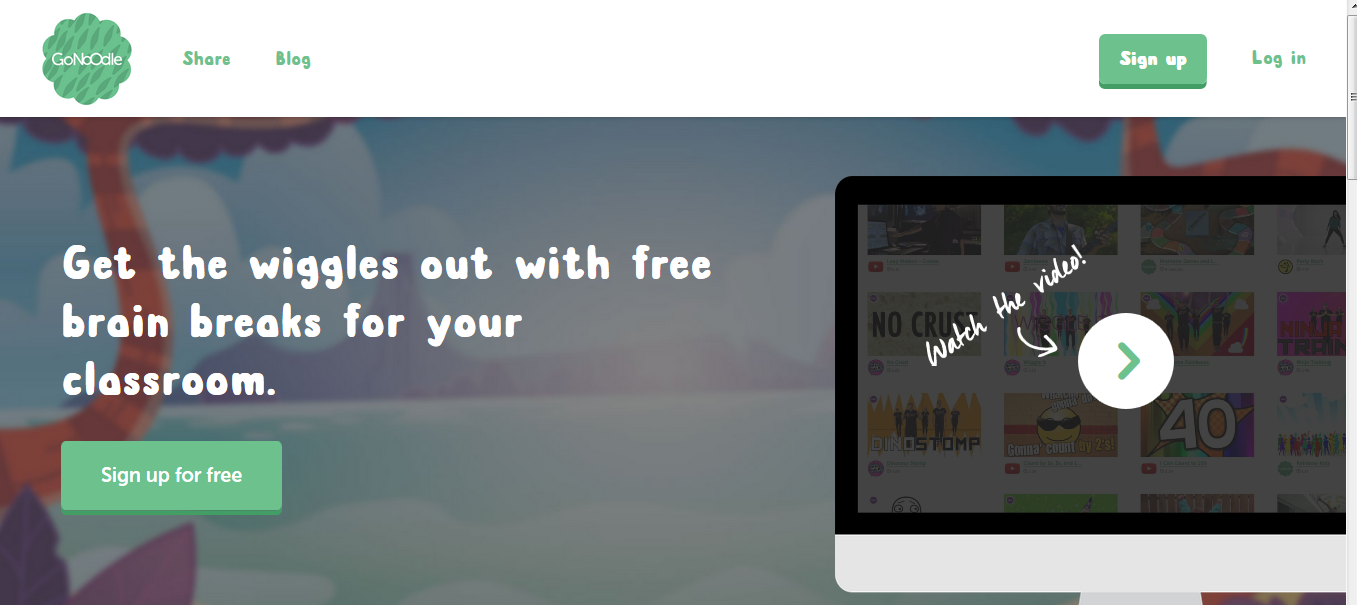 Go Noodle is a great way for your students to "get their wiggles out." Go Noodle has free activities and a premium service that you can try for free for a limited time as you decide whether you want to fork over the $10 a month. It provides brain breaks for kids and has a great library of videos that get students up and moving around to counter the time they spend sitting in their seats. According to the video, "In the morning, they can stretch with Maximo, play Run With Us in the afternoon, and use Airtime to reduce stress before a test."
 Jaime Jackson has used it with her second graders. When I visited her classroom, her kids were playing "Bodyspell." They were following an online, animated robot, telling them what word to spell and the kids were standing up and forming the letters with their bodies as they called out the letters. At the end, they had to repeat all of the words they just spelled. Jamie had preloaded Bodyspell with all of the words that students had been learning to spell, which she said was very easy.
 This is another great example of the way technology is enhancing the learning in the classrooms at Bill Roberts. Nice work Mrs. Jackson!
Tuesday, September 30, 2014
Podcasting for English Language Learners
Kim Douglas is working with a Hungarian student new to our school. She decided that it would be a good idea to record a read aloud so that the student could hear the story with English inflection and in the voice of his teacher. She and I met on Monday morning, by Monday afternoon I had the podcast in my Google inbox. Great job Mrs. Douglas!!
She accomplished this by downloading Audacity, a free piece of software to record her voice on her computer. Ben recommended that she download it from Sourceforge. She also downloaded the LAME MP3 encoder, which is a bit of software that works in the background and allowed her to turn her recording into an MP3 file. She plugged in a mic that she borrowed from Suzy, hit the record button, read the book, uploaded it to Google Drive and shared it with me.
Her young Hungarian friend can access the file if she shares it with him, she can burn it to a CD so he can play it on a CD player, or she can make it into a movie with a simple picture and upload it to YouTube to be accessed from any computer anywhere (thanks Jamie Salturelli for that idea!)
She says she won't win any audio book awards for the recording, but I beg to differ. Listen for yourself.
(This is a widget from Cincopa, which is a podcast hosting site.)
(Below is a test recording uploaded to YouTube, if you are at school you will have to type in your credentials to 'allow' it to play in the building. It won't play on the YouTube Education site.)
She accomplished this by downloading Audacity, a free piece of software to record her voice on her computer. Ben recommended that she download it from Sourceforge. She also downloaded the LAME MP3 encoder, which is a bit of software that works in the background and allowed her to turn her recording into an MP3 file. She plugged in a mic that she borrowed from Suzy, hit the record button, read the book, uploaded it to Google Drive and shared it with me.
Her young Hungarian friend can access the file if she shares it with him, she can burn it to a CD so he can play it on a CD player, or she can make it into a movie with a simple picture and upload it to YouTube to be accessed from any computer anywhere (thanks Jamie Salturelli for that idea!)
She says she won't win any audio book awards for the recording, but I beg to differ. Listen for yourself.
(This is a widget from Cincopa, which is a podcast hosting site.)
...
(Below is a test recording uploaded to YouTube, if you are at school you will have to type in your credentials to 'allow' it to play in the building. It won't play on the YouTube Education site.)
Tuesday, September 16, 2014
Sunday, September 14, 2014
Google Drive PLC
Google Drive training in Friday's PLC was the first step in attempting to get everyone "proficient" in the use of Drive and its many features. As with most PLCs, it probably left many with more questions than answers.
Here are some of the questions that are still lingering:
- How do we connect our DPS Google to Outlook? Here is a link to instructions for forwarding Gmail to your Outlook account. I just did it with my email accounts and it seems to work fine. YOU WILL STILL NEED TO LOGIN TO YOUR DPS GOOGLE MAIL IN ORDER TO SEE SHARED DOCUMENTS. This is a good solution so that you don't have to constantly check both. You will be able to just check your Outlook mail and you will be notified when something lands in your DPS Gmail Inbox.
- Can I have more time? We will have a technology training every other month at least. We will also have a "choice" Friday on the third Friday of the month. This will be a good opportunity to do more basic trainings so you can continue to familiarize yourself with Google Drive.
- How can I tell who I shared something with and can I unshare? You can see who you shared with by clicking on the 'Share' button on the upper right of you document, spreadsheet etc. You will see a list of who has access. Simply 'x' out those who you wish to unshare with (see picture on the right. Click to enlarge.)

- How can I use this with my kids and math? I don't use Docs with my students yet, so we will have to see if an answer emerges as teachers use this tool more and more. You can insert math equations using the equation editor within Docs (thanks to Brad Tobin for pointing this out..) I would also add that we know that writing is a big part of math and perhaps students could collaborate on a response to a math word problem or collaborate on how to best explain their math thinking.
- Color Coding within spreadsheets, how to do it, refine it? Could this be another Friday training for those interested?
- How safe is student data? There is information about DPS Google security HERE and some general Google Education security info HERE.
- How do I organize the files within Shared With Me folder? You should be able to make a copy of the file ONLY if the owner gives you permission to do so. The file will then appear in My Drive, but it will now be a file only you own. For example, Colleen Sechrest shared a presentation with me, I make a copy and rename it, the new copy is mine and is not shared with Colleen. I still have the original that Colleen shared with me in my Shared With Me folder.
- Are the formulas in spreadsheet the same as in Excel? All the functions are HERE, I think they are the same. I have only created really simple formulas. I know there are probably experts in the house that can work with us on questions. I always consult my wife, who is a formula whiz!
- Can you create a contact list? I am unsure what the question here is.. if it is yours, please clarify.
- How do I put all the kids in folders? Again, I think there are experts in the house that can help us. There is a lot on the DPS website that may help. Here are some scripts that could help with keeping track of student work. I also think it would be time well spent to sit down with a small group and figure this out.
- How do I increase student engagement with Google Docs so that all students can see responses together to build a more collaborative community of learners? I think Barb Cramer, Jon Havens and Brad Tobin are good resources in house to help us with this process.

Sunday, August 24, 2014
Triptico
Triptico is a great set of resources developed for teachers, and they are free! I added the premium membership last year for around $24, mostly to add the student group app, which will automatically create student groups for you. Two other apps I can't live without at this point: Student Selector PLUS, which will randomly select a student from your group and the Circle Timer, which will visually show your students how much time is left in an activity.
This resource is a great one for ALL grade levels.
Get the free download here: http://www.triptico.co.uk/

This resource is a great one for ALL grade levels.
Get the free download here: http://www.triptico.co.uk/
A New Challenge!

My plan for this space is to:
- document resources for teachers to access at their convenience
- highlight great technology integration that is happening in my school
- share research and ideas that I come across as I collaborate with my own cohort in this role
- document my growth as a teacher leader and coach
Subscribe to:
Posts (Atom)